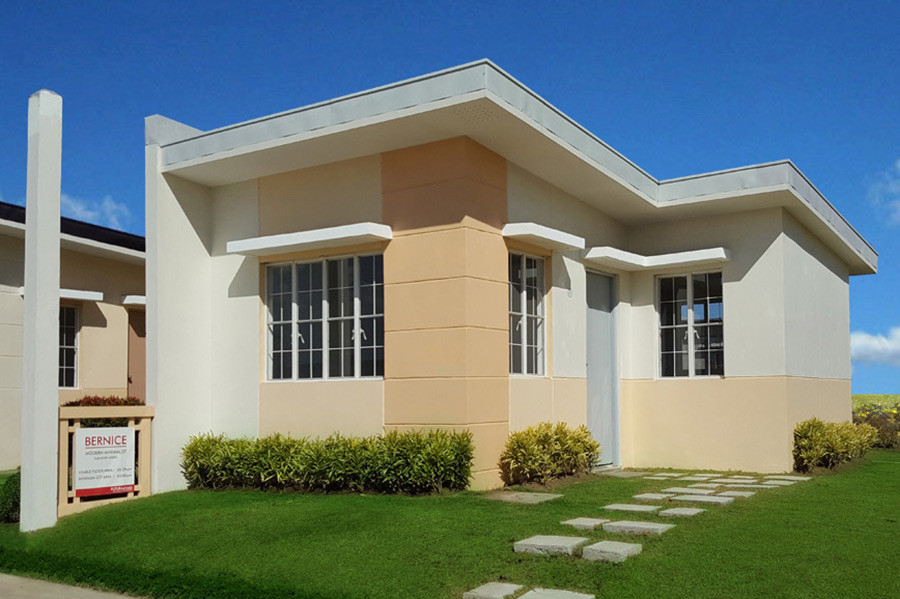

For many Filipino professionals, work-from-home and hybrid setups are already part of the weekly routine. Some still report to the office on certain days, while others work with local teams, overseas clients, or online platforms from home.
That also changes what buyers need to check when choosing a home. Price, location, size, and payment terms are still important, but so is the space you will use for work.
Can you take calls without too much background noise? Is there room for a proper desk? Is the internet connection reliable enough for meetings, uploads, and long workdays?
A work-from-home-ready property in the Philippines in 2026 does not have to be large or expensive. For some buyers, an extra room that can double as a home office may be ideal. For others, a quiet corner with good lighting, enough outlets, and some distance from the busier parts of the house may already work well.
Before you reserve or schedule a site visit, it helps to know what to check. This guide looks at the practical details, from floor plans and internet access to noise levels, nearby essential establishments, and financing options for a mid-range home.
A home may look fine during viewing, but it can feel drastically different once you start taking calls there every day. If the signal is weak, the room is too noisy, or there is no proper place for a desk, you may end up working in cafés or paying for coworking access more often than planned.
These extra costs are not small for a household already preparing for a down payment, monthly amortization, utilities, association dues, and moving costs. To give you a real price reference, Common Ground lists hot desk memberships from ₱3,800 per seat per month. KMC lists proworking access at ₱7,500 per month for premium areas such as Podium and One Ayala. WeWork Uptown Bonifacio lists its All Access Basic coworking membership from ₱10,995 per month for a 12-month plan, before applicable taxes and fees.
The final cost still depends on the provider, location, access hours, plan type, and promo terms. Regus, for example, offers coworking by day, access plans, dedicated desks, or hourly use, so it may not be a straightforward comparison with a monthly membership.
This is the practical reason to check WFH readiness before choosing a unit. A workable floor plan, reliable internet options, and a quieter spot for calls can reduce the need to pay for a second workspace just to get through the workweek.
When a unit is described as WFH-ready, check it further than what’s described in the flyer or brochure. Picture a real workday inside the home: where you can set up at the start of your shift, where your chair will go, and whether the space will still feel comfortable after several hours of work.
Look beyond the floor plan drawing. A desk may technically fit, but you still need space to pull out the chair, open a cabinet, reach a window, or walk around the room. If the only available spot is squeezed beside the bed or dining table, the setup may become frustrating once you use it every day.
A separate room with a door is still the easiest setup for people who take calls, prepare reports, join online meetings, or handle confidential documents. For some buyers, a third bedroom can serve this purpose well.
If a separate workroom is not part of the plan, a bedroom corner, alcove, or defined area in the living space can still work, provided it can hold a proper desk and chair without taking over the room. A nearby window can make long workdays feel less tiring, but the direction of the light matters. Afternoon glare on a laptop screen can be uncomfortable, especially during hotter months.
For families, the location of the work area is crucial. A desk placed near the TV, kitchen, or main dining area may be difficult to use when children are watching, someone is cooking, or relatives are over.
With Futura by Filinvest, floor plans help you compare how each unit type can support your daily routine. Review the room dimensions, wall placement, window position so you can see where a work area can fit comfortably before you reserve.
Do not stop at the Mbps number on the plan. A 100 Mbps connection may look enough on paper, but work calls can still lag if the signal drops, the router is placed too far from your work area, or several devices are connected at the same time.
Upload speed is easy to overlook when choosing an internet plan. Zoom recommends about 3.0 Mbps upload speed for 1080p HD video, while Google Meet lists up to 3.6 Mbps for 1080p video.
Those speeds may be enough for one video call. But if several people are using the same Wi-Fi for cloud files, streaming, online classes, and mobile phones, the connection can start to feel slow.
For many work-from-home households in 2026, 100 Mbps is a reasonable speed to consider when comparing internet plans. The U.S. FCC uses 100 Mbps download and 20 Mbps upload as its fixed broadband benchmark.
Internet speeds and available plans in the Philippines will vary depending on your area and provider. Still, having a speed target gives you a better basis for comparing plans instead of simply choosing the cheapest one.
For Futura by Filinvest communities, our team can discuss the current connectivity options available for the specific development you are considering. Depending on the area, home internet options may include PLDT Home Fiber, Globe GFiber, Converge FiberX, SKY Fiber, and DITO Home WiFi.
Mobile data is useful as a backup, especially during outages or router issues. For daily work, though, it is safer to have a fixed home connection if your job involves long calls, file uploads, or access to company systems. Even with 4G or 5G coverage, speeds can slow down during peak hours, heavy rain, or high-traffic periods.
Noise is one factor that's easy to miss when you're only visiting a unit for a short time. A place can feel calm during viewing, then feel different once weekday traffic, deliveries, school activity, or nearby construction starts.
During your visit, take a moment to listen to the area around the unit. Check if sound from the main road reaches the space, and if tricycles, delivery riders, trucks, or ongoing construction can be heard loudly. If you plan to live or invest in a space at a mid-rise building, pay attention to hallway noise, elevator movement, and sounds from nearby units or common areas.
The surrounding establishments matter as well. A home near a transport terminal, wet market, busy commercial strip, school, or major road may have more activity during the day. That can be manageable for many buyers, especially if the location is convenient, but it helps to know what the usual noise level is before you decide.
As a tip, try to view the property close to the hours when you usually work. A unit that feels quiet on a weekend afternoon may feel different on a weekday morning, during school dismissal, or when nearby shops and roads are busiest.
Inside the home, check how sound moves from one area to another. If you live with children, parents, or relatives, see how close the bedrooms are to the living area, kitchen, and main door. The layout should give you a workable way to manage noise during the hours when you need to concentrate.
During viewing, stand where your work table will most likely go. Notice where the sunlight falls. Light from behind can reflect on your screen, while light in front can make you squint.
If the unit gets strong afternoon sun, you may need curtains, blinds, or a slightly different table position. A small adjustment can make long work hours more comfortable.
Check the outlets near your preferred work area. Your laptop, monitor, phone charger, desk lamp, router, printer, and UPS may not all be plugged in at once, but the setup should not depend on extension cords running across the room.
For buyers who often join long calls, work with important files, or have tight deadlines, a UPS (uninterruptible power supply) may be worth considering. It can help keep your computer and other essential devices running during a power interruption.
As a rough price guide, basic UPS units in the Philippines can cost around ₱3,800 to ₱5,675. Higher-capacity models or units with more advanced features can cost ₱22,100 or more.
The price depends on the brand, VA or watt capacity, battery runtime, and the number and type of devices you need to keep running.
Check if your monitor can be placed so the top of the screen is at or slightly below eye level, and about an arm’s length away. You should be able to sit upright with your back supported, without leaning forward, raising your shoulders, or tilting your head up or down just to see clearly.
During viewing, imagine where your desk and chair will go and whether the space allows this setup. If not, you may need a monitor stand, adjustable chair, or a different layout to make it work comfortably for daily use.
Community Aspects That Make Working From Home Easier
Before turnover, ask what usually happens after the unit is ready. Confirm when you can inspect and accept the unit, when utilities can be arranged, and how deliveries, installers, or contractors are allowed into the property.
This is worth clarifying early, especially if you plan to move in while still working full-time. Some communities may require valid IDs, gate clearance, access passes, signed forms, or scheduled entry for delivery teams and service providers. Knowing the process ahead of time helps make the first few weeks at home less stressful.
For households with someone working from home, weekday deliveries and repair visits are harder to avoid. Ask how the property handles parcels, food deliveries, appliance deliveries, technician visits, and contractors.
This also matters if you plan to improve your work area after move-in. A desk delivery, shelf installation, or minor repair will be easier to manage when you already know the process for bringing service providers into the property.
When you work from home, errands often get squeezed in between meetings, during lunch, or after your shift. It helps when groceries, a pharmacy, bank, and simple food options are not difficult to reach.
For hybrid workers, the route to the office is just as important. Check the access to main roads, transport terminals, jeepney or bus routes, and the usual travel options from the community. A location may feel convenient on WFH days, but it should still work for the days when you need to report to the office, especially if your schedule changes from time to time.
Before choosing a unit, ask for a full sample computation. It should show the reservation fee, down payment schedule, monthly equity, loanable amount, estimated monthly amortization, and other charges that may apply before move-in.
For qualified members, Pag-IBIG housing loans can now go up to ₱10 million, but approval will still depend on the borrower’s income, contribution record, age, capacity to pay, property appraisal, and Pag-IBIG requirements at the time of application.
Bank financing may also be available for buyers with complete income documents. When comparing banks, check the interest rate, fixing period, loan term, fees, insurance, and what the monthly amortization may look like once the fixing period ends.
If you are comparing a two-bedroom unit with a larger unit, ask for both computations side by side. In some cases, the additional monthly amortization may be close to what you would otherwise spend on regular coworking access, but this depends on the actual price difference, down payment, loanable amount, interest rate, and loan term.
If in-house financing is offered for the project, ask how it compares with bank or Pag-IBIG financing. Look at the payment period, monthly amount, required documents, and turnover conditions so you know what fits your budget before reserving.
How Futura Options Can Support Work-From-Home Living
Futura by Filinvest gives buyers practical home choices for their different needs, including a more WFH-centered lifestyle. Our portfolio includes mid-rise condominiums, house-and-lot communities, and residential lots in selected locations, giving buyers room to choose based on their preferences.
For buyers who prefer condo living, Futura’s mid-rise communities offer a manageable home setup within wellness-oriented developments. Futura East in Cainta, Futura Centro in Manila, 8 Spatial Davao, Futura Bay Gensan, Verde Spatial in Quezon City, and Alta Spatial in Valenzuela are examples of Futura’s wellness mid-rise condominium communities. These developments bring together compact homes, shared spaces, and community amenities that support daily life beyond the unit.
For families who prefer a landed home, Futura’s house-and-lot communities give buyers a more familiar family setup. Futura Homes Zamboanga, for example, offers a house-and-lot format for households that want more space for work, rest, family time, and everyday routines under one roof.
Futura also offers residential lot options such as New Fields 2 in Rizal. This gives buyers more flexibility to plan a future home around their household’s needs, from room placement and storage to outdoor areas and possible work spaces.
For buyers who work from home, Futura’s advantage is the range of options. Across our communities, buyers can find open areas, wellness-oriented amenities, proximity to commercial establishments and transport options, and property designs that help support longer days spent at home.
Our team can guide you through the specific unit cuts, amenities, connectivity provisions, availability, and turnover details for the Futura development that fits your plans.
Before You Reserve: A WFH-Friendly Home Checklist
Before you reserve a unit, take another look at the details that may affect your remote work setup once you move in. Some of these are easy to miss during your first viewing, especially when you are focused on the price, location, and overall look of the home.
Ask for the floor plan with room dimensions. Then check:
where your work table and chair can fit
if there is space for a monitor, shelves, or small storage
if the room can still be used comfortably once the work area is added
which unit cut fits your needs best, especially if you are comparing a studio, one-bedroom, two-bedroom, or larger option
Ask about the current connectivity provisions for the development. Clarify:
which internet providers may be available
how installation is usually arranged
if the mobile data signal in the area can serve as backup
which details will be finalized closer to turnover, if the project is still ongoing
Try to view the property close to the hours when you normally work. During the visit, notice:
activity from nearby roads, establishments, or common areas
hallway, elevator, or gate activity in a managed community
how sound carries inside the unit or home
if the place still feels comfortable during busier hours
Ask how move-in usually works once the unit is ready. Confirm:
when you can inspect and accept the unit
what you need to arrange utilities
how deliveries, installers, or contractors can enter the property
if valid IDs, gate clearance, signed forms, access passes, or scheduled entry are required
Request a full sample computation before making a decision. It should show:
reservation fee
down payment schedule
monthly equity
loanable amount
estimated monthly amortization
fees, insurance, and other charges before move-in
If you are choosing between two unit types, ask for the computations side by side. The lower monthly payment may look easier at first, but the better choice is the one that fits your work needs, household plans, and payment capacity with less strain.
Share this article